Pluck at getpluck.io is free. The same code runs on your own server, and it’s one command to start.
Here’s the whole of it, the awkward parts included.
What you need
Docker, and a machine with 1 vCPU and 1 GB of RAM. A small VPS, an old laptop or the box under the telly all work.
Start it
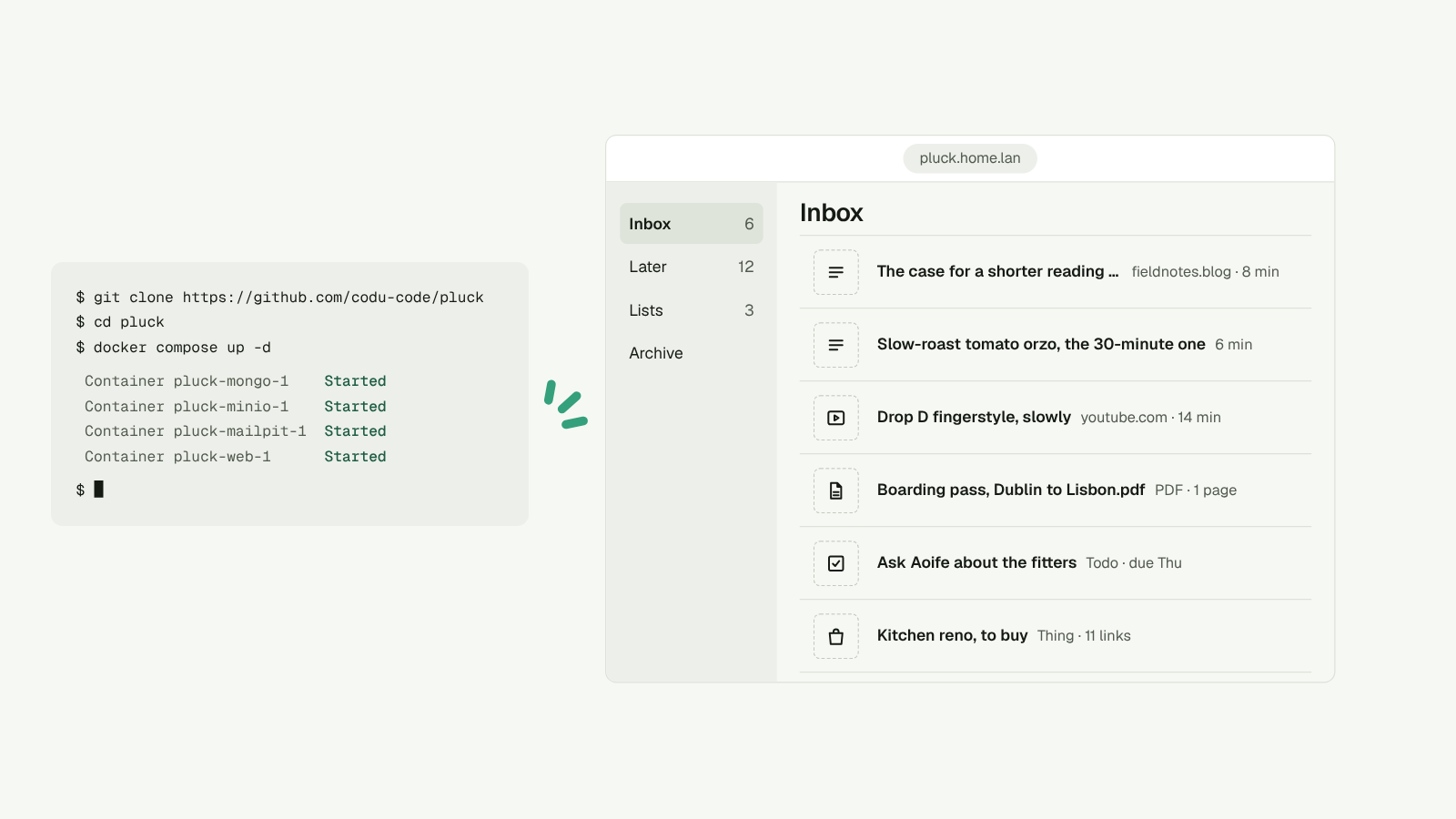
git clone https://github.com/codu-code/pluck
cd pluck
docker compose up -d
Open http://localhost:3000. Pluck signs you in with a link by email, and on a fresh install that email goes to the built-in mail catcher at http://localhost:8025. No mail server needed to try it.
What’s running
One Docker image, started twice. One copy serves the app. The other is the worker, which reads pages, moves untouched items to the Archive overnight, sends the Monday email and empties the bin.
Beside them: MongoDB for your library, MinIO for kept pages and files, and Mailpit to catch email.
Put it on a real address
Put a reverse proxy with HTTPS in front, then set these in a .env file next to the compose file:
PLUCK_URL, the address you’ll use.SMTP_URLandEMAIL_FROM, so sign-in emails reach real inboxes.S3_ACCESS_KEYandS3_SECRET_KEY, replacing the defaults.
Pluck won’t start on a public address with the default storage password. That’s on purpose. The self-host guide lists every setting.
Point your apps at it
- iPhone. Open
pluck://signin?server=https://your.addresson the phone. The app signs in to your server instead. - Chrome. The store extension only talks to getpluck.io. Build your own with
PLUCK_SERVER=https://your.address pnpm --filter @pluck/extension buildand load it unpacked. - Your AI. Connect it to
https://your.address/mcp. If the server has no public address, make an API key in Settings and usenpx @getpluck/mcp --server https://your.address --key pk_live_….
The awkward parts
Email-in needs a service that receives mail for your domain and drops it into storage. The compose file doesn’t include one, so the guide covers what to set up.
You run the backups. Back up the mongo and minio volumes. That’s your whole library.
Upgrades
git pull && docker compose up -d --build
The server and the apps are Apache-2.0.
If we ever stop, you don’t.