A tag says what something is. A list says what you’re going to do with it.
Lisbon in four days. The kitchen, room by room. The talk you’re giving in March, in the order you’ll give it. That’s what lists in Pluck are for.
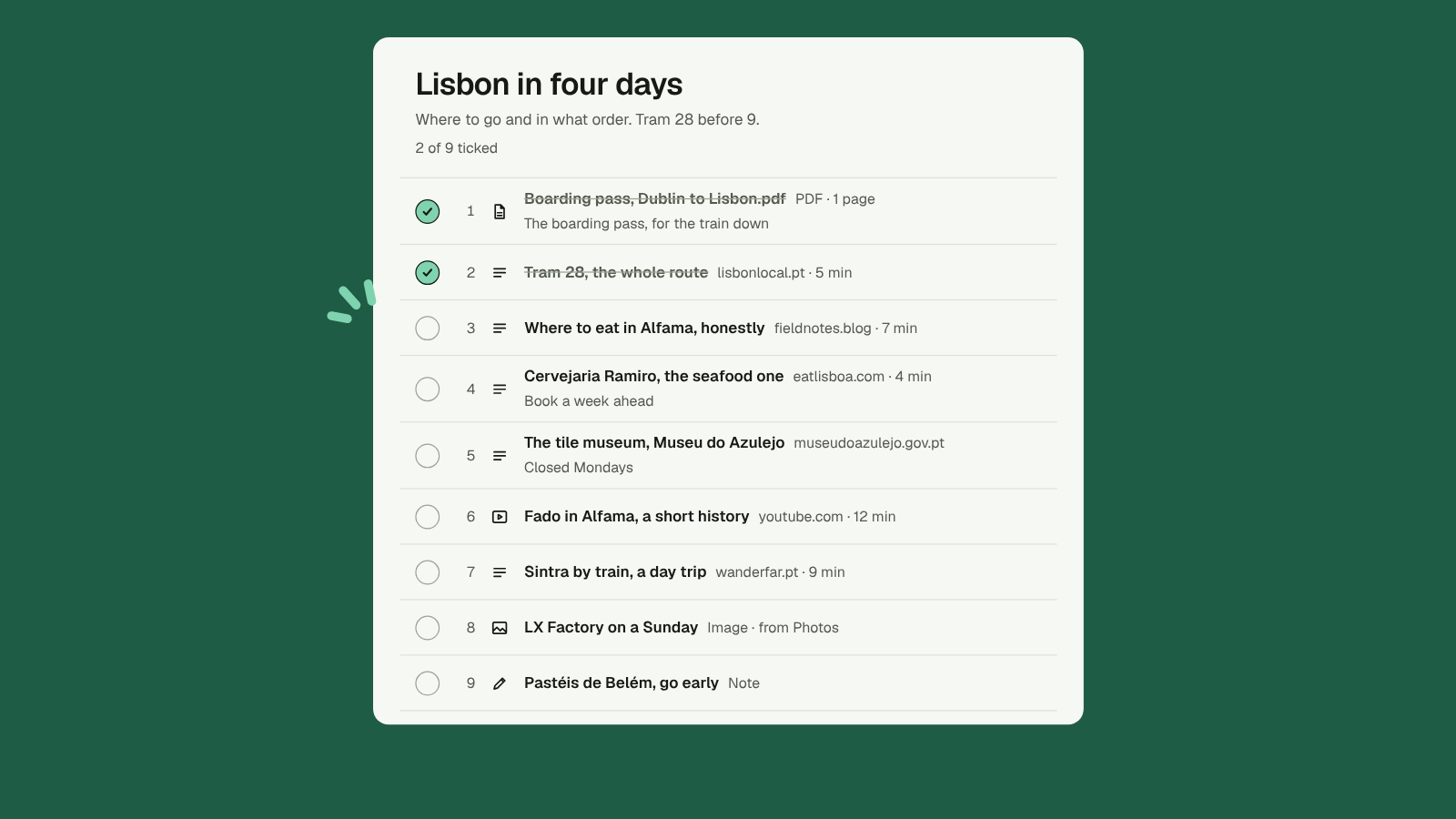
Make one
Lists, then New list. Give it a name and a purpose, one line on what it’s for. Or press a on any item to add it to a list.
Put it in order
Drag things into the order you’ll use them, or press Shift J and Shift K. Move to top does what it says.
Each item gets its own note in the list, separate from the item’s own note, so “Closed Mondays” lives where it’s useful.
Tick things off as you go. Pluck words it to suit the item: Read, Watched or Done.
Anything in a list stays put. It never drifts to the Archive.
Share it
Lists are private. When you want to share one, switch Visibility to Public and send the link. It looks like getpluck.io/@you/lisbon-in-four-days.
Visitors see the list, its purpose, each item’s title and site, a short excerpt and your notes. They never see your tags, your ticks, the kept page text or your highlights.
New lists stay out of search engines for their first week. Switch the list back to Private and the link stops working straight away.
Copy one
Anyone looking at a public list can choose Pluck this list. The items land in their own Inbox, and they get a private copy of the list with your order and notes. It’s free, and their copy is theirs to change.
Take it with you
Export this list gives you a Markdown file: the name, the purpose, then each link in order with your note under it.
Ask your AI
Your AI can build a list for you: “Make a reading list on sourdough, best first.” It finds the items, puts them in order and adds a line on why each one is there. The list is private and marked “by AI”. Your AI can’t make it public. Only you can.
A list is a plan.